

How to migrate your UTS wallet balance to RailOne or how to use RailOne to replace your daily ticket (like season passes) ?
Here’s a clear, up-to-date picture of what Indian Railways is doing with UTS and RailOne and how your UTS wallet balance and season pass can be moved / used when UTS is retired (based on official news and multiple reports):
🛠️ UTS App Shutdown & Transition to RailOne
- From March 1, 2026, the standalone UTS (Unreserved Ticketing System) mobile app will be discontinued for most services — government has merged its functions into the new RailOne app. (Free Press Journal)
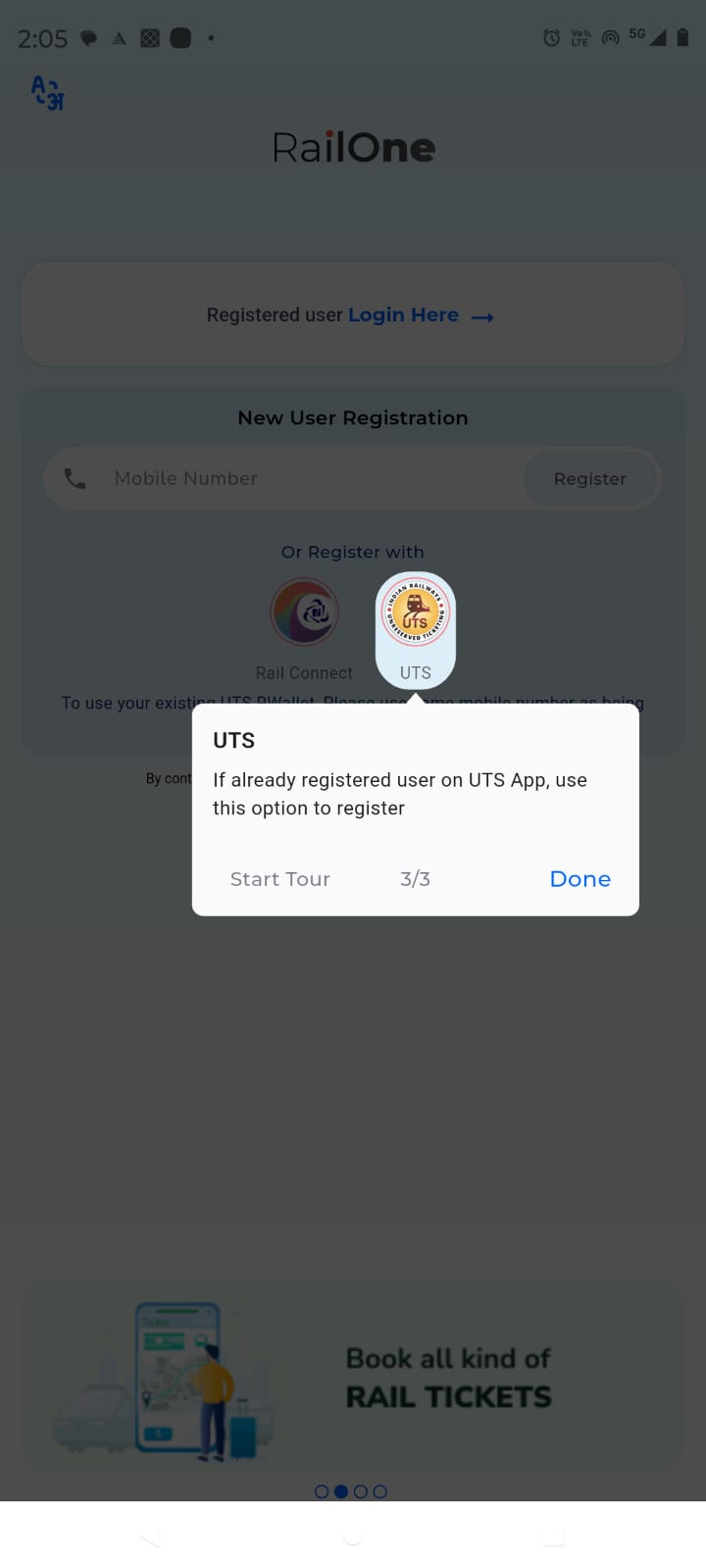
- RailOne is now the official single platform for unreserved tickets, platform tickets, and season passes (monthly/quarterly etc.), plus many extra services. You can also log in with your existing UTS or IRCTC RailConnect credentials — no fresh account is needed. (Free Press Journal)
💼 How Your UTS Wallet Balance Is Handled
✔️ Your UTS R-Wallet balance is safe — it does not lapse or get lost when UTS services shut down. (DT Next)
✔️ After installing RailOne and logging in with the same mobile number/credentials you used with UTS, that UTS wallet balance should automatically appear inside RailOne and can be used for ticket bookings there. (Goodreturns)
✳️ Some media guides mention a “Transfer Ticket” or balance-migration link to help, especially for season passes, if the automatic sync isn’t visible. (NDTV Profit)
➡️ In plain terms: You don’t need to manually move your money to RailOne — if you log in with the same credentials, your wallet balance will be visible and usable for buying unreserved and season tickets. (Free Press Journal)
🎫 Season Pass (Daily/Monthly/Quarterly) Migration
Here’s how that works now:
- Existing/Active Passes:
➤ If you already have a season pass (say monthly), in many cases it will show up inside RailOne when you log in with your UTS credentials. (Goodreturns)
➤ Older stories suggest there’s sometimes a “Transfer Ticket” link in UTS that helps move your active pass into RailOne — but the main idea is that RailOne should read and present your active tickets. (NDTV Profit) - New Season Pass Booking / Renewal:
➤ UTS has already stopped allowing new purchases or renewals. (Buddy Loan)
➤ You must now buy or renew season passes inside the RailOne app once UTS is retired. (DT Next)
📲 Steps to Use RailOne Instead of UTS
Here’s your simple action plan:
- Install / Update the RailOne app from Play Store / App Store.
- Log in using your existing UTS mobile number and password (or IRCTC credentials).
- Check inside the app:
- Your old UTS wallet balance should be visible under Wallet/Payments.
- Your season pass showing under My Bookings / Passes (if already active).
- Book daily unreserved tickets, platform tickets, or new/renew season passes in RailOne.
- Continue to pay using your R-Wallet (plus UPI/cards/net banking). (Goodreturns)
💡 Bonus: Discounts & Offers
To encourage this move, RailOne had a 3% discount/cashback offer on unreserved tickets for digital payments valid roughly between January and July 2026. (HelloRail)
⚠️ Important Notes / Real-World Feedback
- Some users have reported interface quirks or payment glitches when booking in RailOne — not usually common, but something to watch out for. (reddit.com)
- Most feedback suggests trusting the wallet balance shows up when logging in with familiar credentials rather than emptying it before the shutdown. (DT Next)